How to Turn On Google Business Profile Messaging
Update: July 2024: Google has removed the chat messaging function on Google Business Profile.
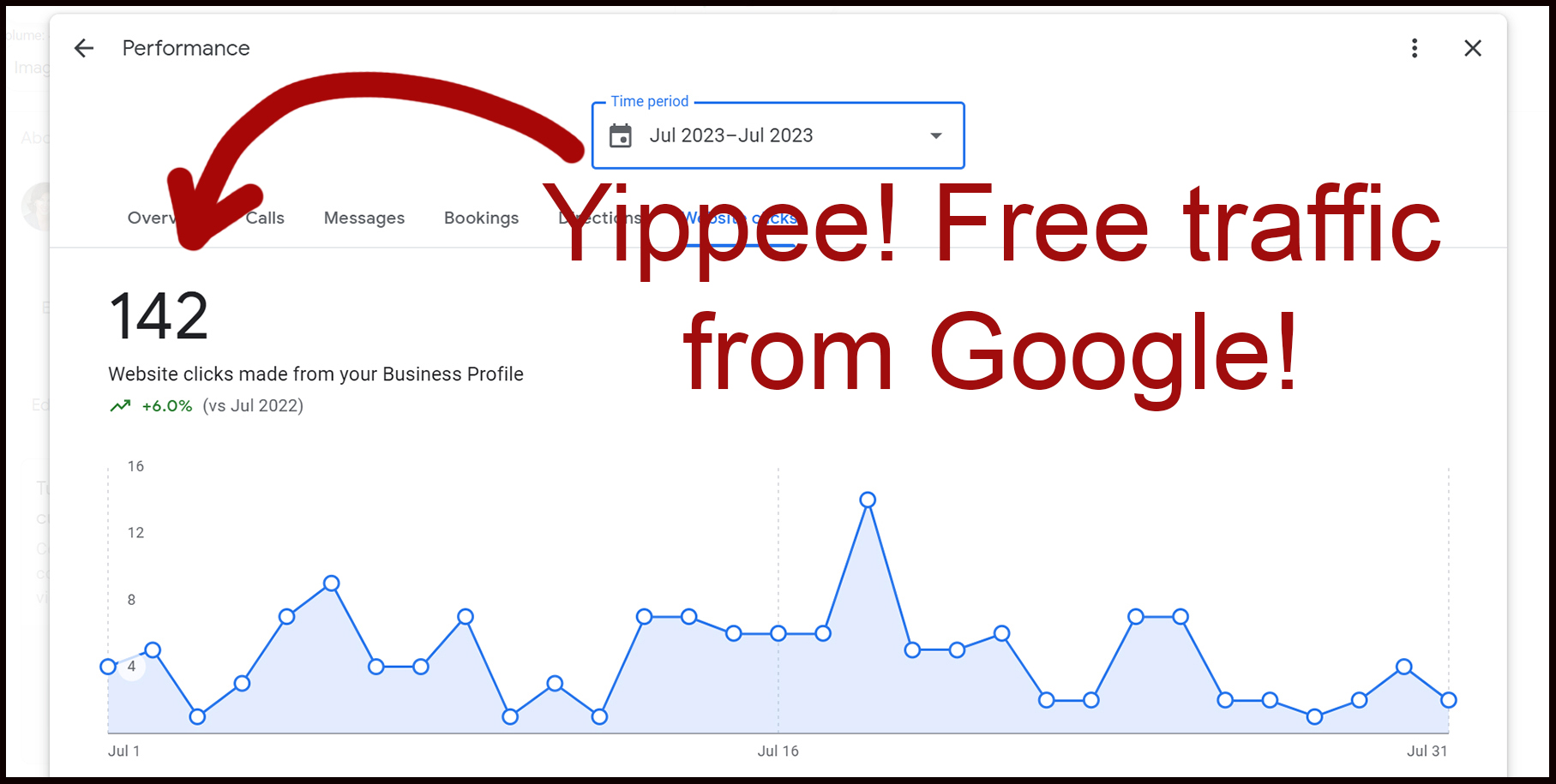
Friends - if you are not doing everything you possibly can to optimize your Google Business Profile for FREE leads from Google - you're missing out!
The picture above is my Google Business Profile (formerly called Google My Business) website clicks report for July 2023. My GB Profile brought 142 people to my website. For free! So let me just tell you that it PAYS to do this work.
How do you optimize your Google Business Profile? I'm not going to dive deep into that right now, but keep watching the blog and I'll be telling you how.
In this post, I want to just explain how to turn on messages so potential customers who find your Google Business Profile can contact you directly through there instead of clicking through to your website.
Why should I turn on Google Business Profile Messaging?
Now you might be asking yourself, "don't I want people to go to my website and learn more about me instead of just clicking the message button?" The answer is, of course, yes! But some shoppers on Google don't shop that way. They look at the business listed in the Google Map 3-pack and interact with their Google Business Profiles without clicking through to the websites.
If your messaging button isn't turned on, but your competitors' buttons are, this potential customer cannot message you from Google. And you might lose the opportunity to have them as your customer.
How to turn on your Google Business Profile Chat Message Button
So let's get started with how to turn that Google Business Profile messaging button on. It's very simple.
First, login to your Google Business Profile dashboard here.
That will bring you to your Google Business Profile, which looks like this:
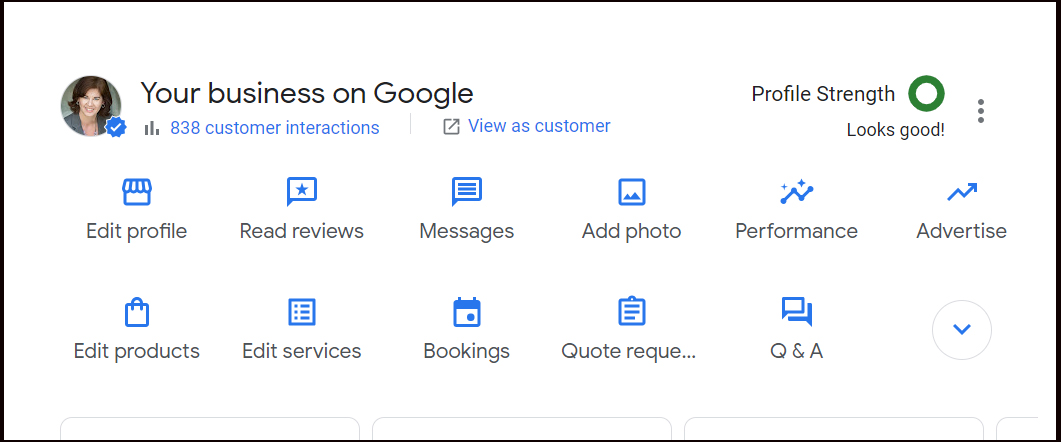
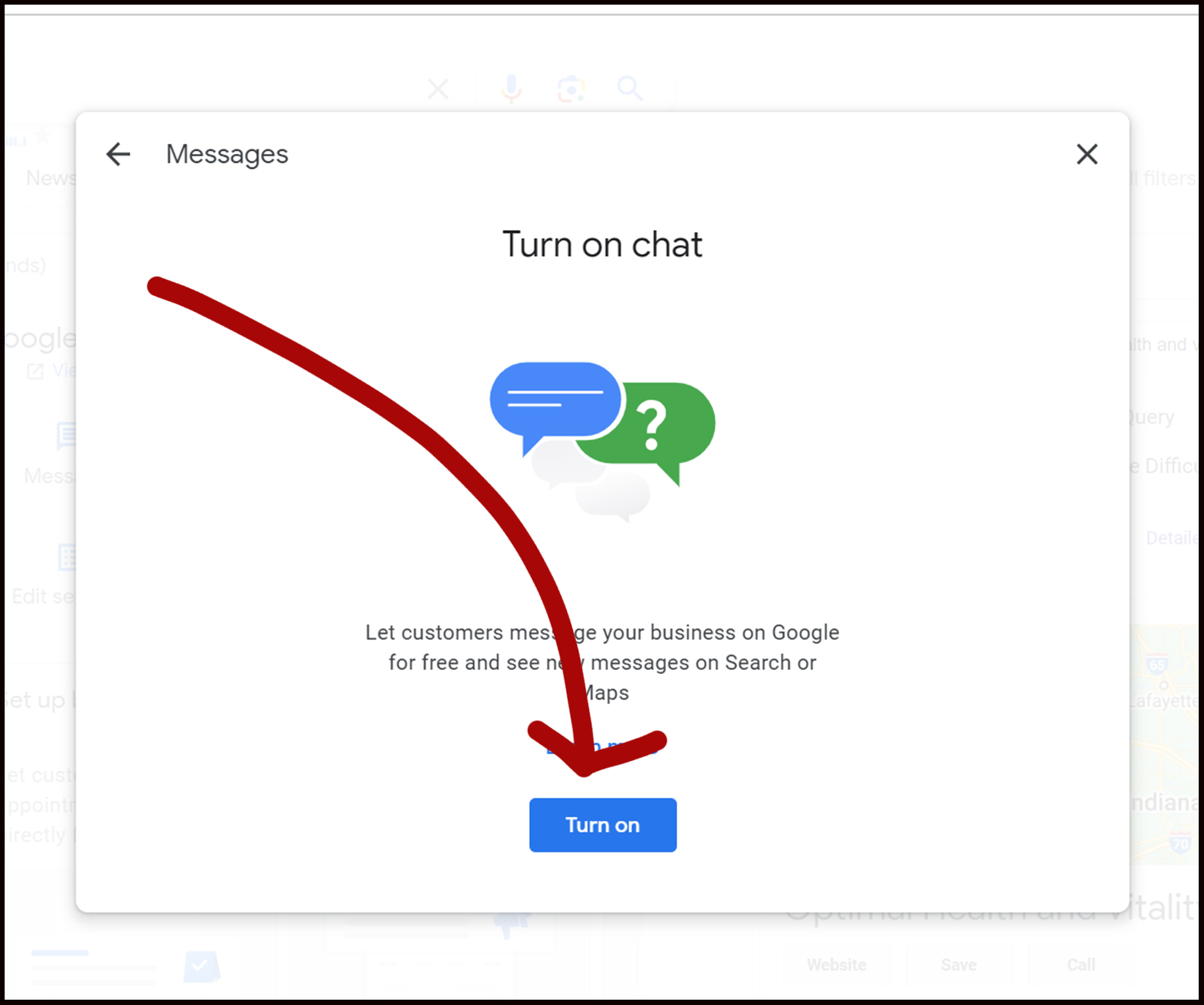
Next step is to select the "MESSAGING" option on your Google Business Profile Dashboard. Then click the "turn on" button. Easy peasy!
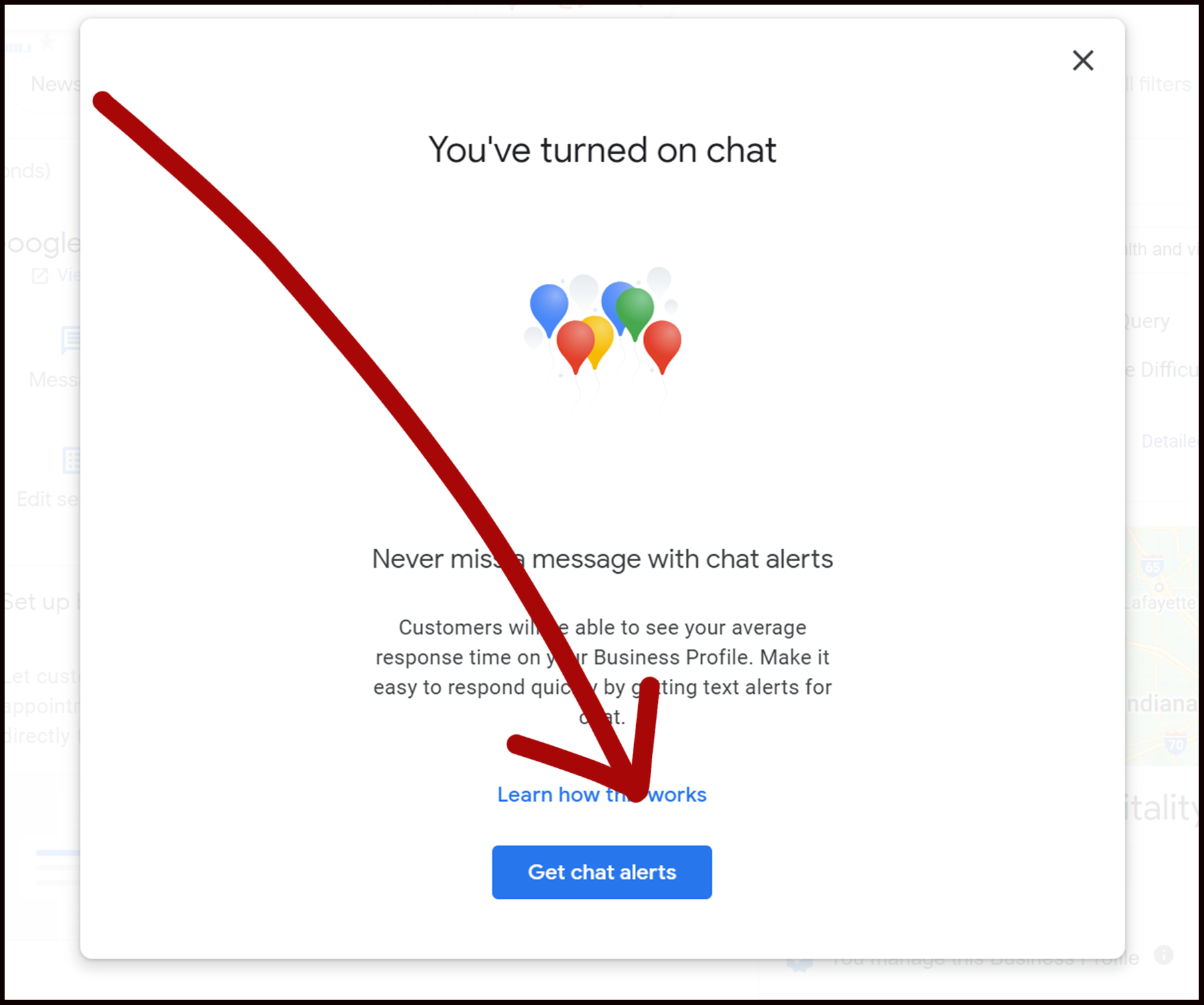
Get Google Business Profile Message Alerts Sent Straight to Your Phone
Now you'll get the option to turn on "Get Chat Alerts" feature so the minute someone messages you through your Google Business Listing, you'll get notified via text so you can respond right away.
People who are messaging business through their Google Business Profile are serious shoppers who are ready to buy. I know if I can get back to them promptly, I'm highly likely to book them as a client.
A Warning About Ignoring Google Business Profile Messages
Now I want to give you a quick warning about getting messages through your Google Business Profile messaging feature. Answer them, and answer them as quickly as possible. Not only because you're more likely to gain that person as a customer, but also because Google is watching you and wants to know how promptly you respond. If you are slow to respond to Google Business Profile messages, Google may choose to remove that feature from your profile so you'll no longer be able to use it. And that would be so sad!
Here's the information directly from the Google Business Developers website.
"Slow or unreasonable response times to user messages create a bad experience for your customers. Make sure that you design your response infrastructure to consistently provide timely replies to user messages.
Even worse than a slow response is no response at all. Make sure that users always receive responses to their messages, regardless of your message load. For example, if live staff aren't available, send an automated message acknowledging the user, and include an estimate of when the user can expect a full response.
Google measures time to respond (TTR) between messages. If a brand's agent is slow to respond to consumers, Google will remove the brand's messaging buttons."
Have questions? Need help? Drop a comment below.
Leah Severson
Hey there - I'm Leah - portrait studio owner for 20+ years and photography marketing coach and consultant. Need some help with your marketing? Click the button below for immediate access to my exact 4-part studio marketing blueprint that has kept me in business for more than 20 years.

Ready to GET STARTED?
Let’s Chat About How To Get Google Working to Bring You More Customers!

© 2023 Leah Severson, Google SEO Ranking Consultant & Coach | 1225 Veteran's Way, Unit 415, Carmel, In